Support

A help desk that
knows the machine.

Tickets live next to the endpoints, alerts and history they are about. An AI assistant reads all of it, a knowledge base keeps every fix, and your clients' staff get a portal of their own.

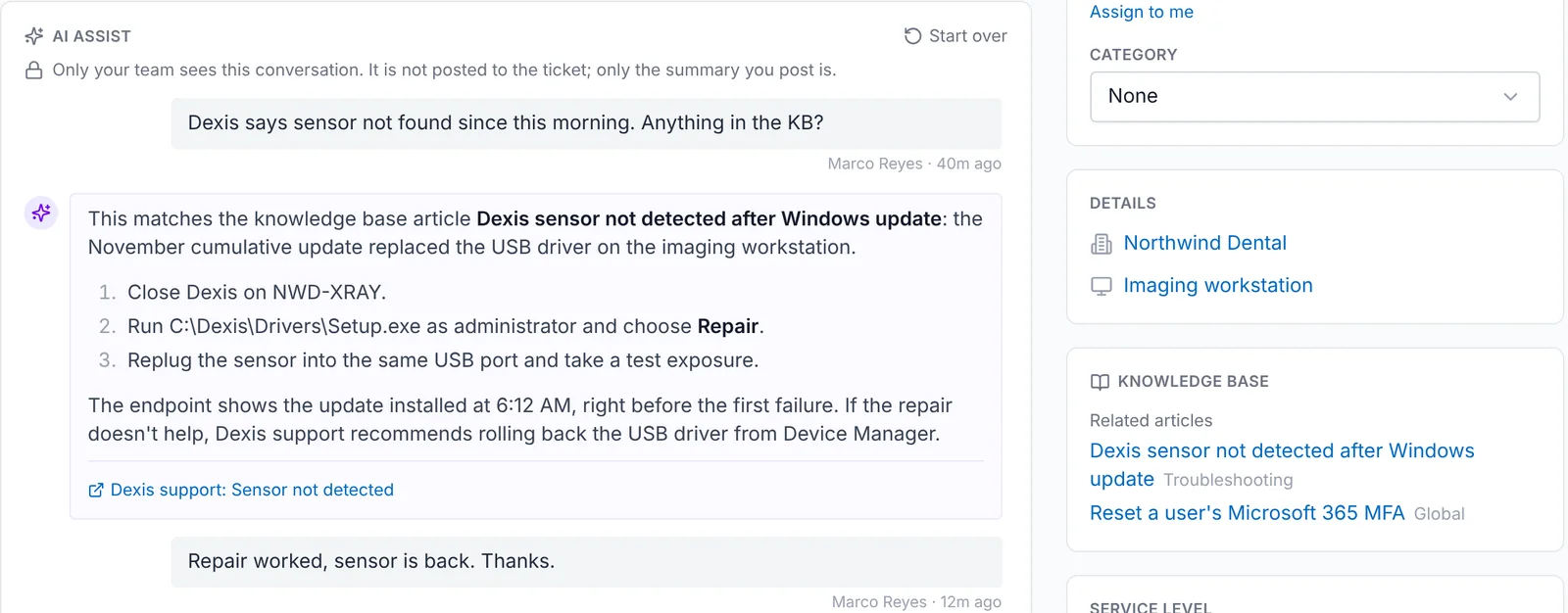
A ticket with an AI Assist conversation suggesting next steps and related knowledge base articles.

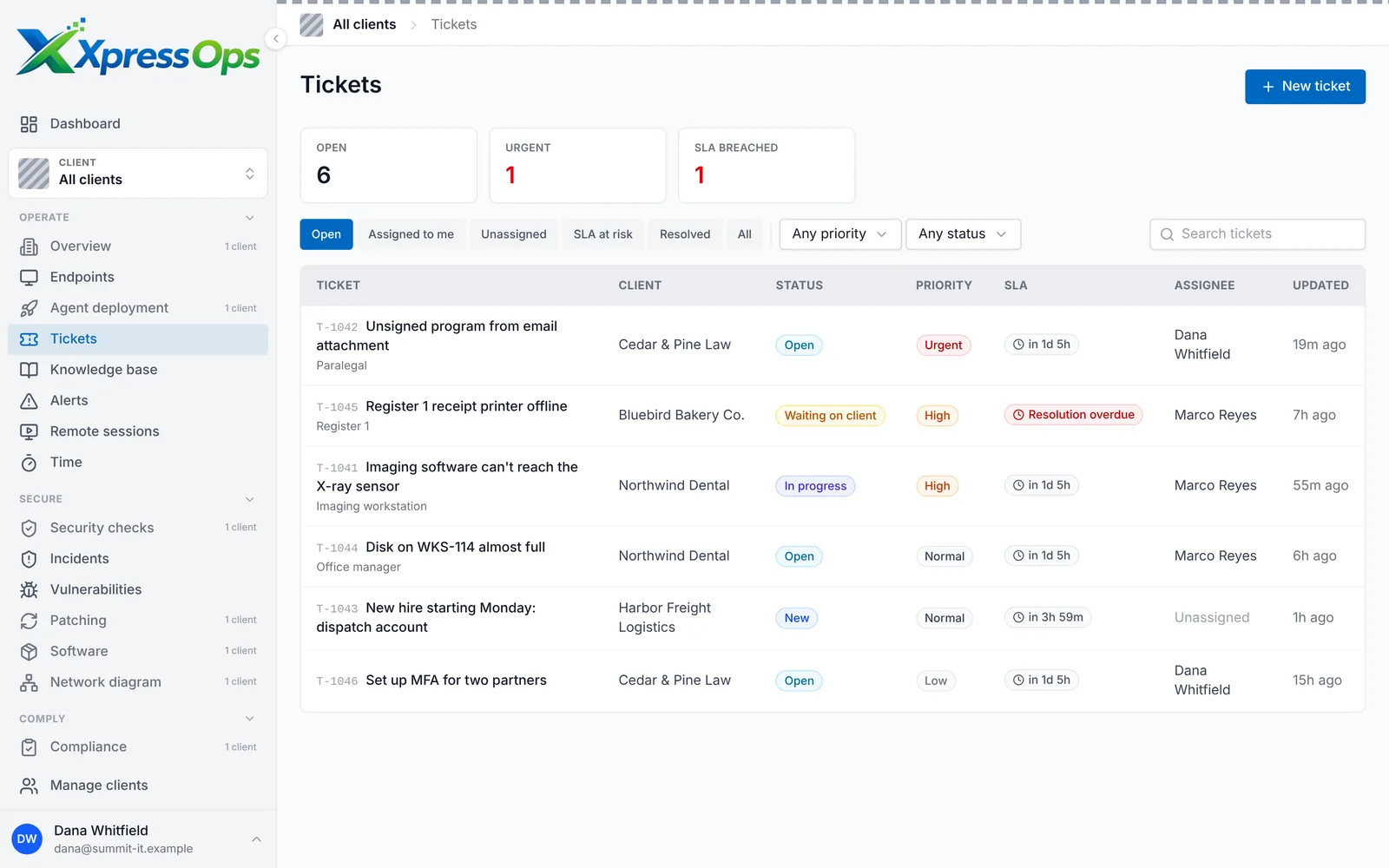
Tickets

Every client's queue, with the SLA clock on it.

One queue across all clients, or scoped to one. Filter to what is assigned to you, unassigned, or at risk of breaching its SLA. Priorities and targets come from the client's contract.

  • SLA countdown and breach flags on every ticket
  • Assigned to me, unassigned, at risk and breached views
  • Attach files, screenshots and logs
The help desk queue across clients with status, priority, SLA countdown and assignee.

AI Assist

A second technician on every ticket.

AI Assist reads the ticket, the conversation, the computer it is about and that computer's recent alerts, the text of any attachments, and the related knowledge base articles. Ask it what to try next and it answers with steps that fit this machine, citing its sources when it searches the web.

  • Grounded in your own knowledge base
  • Suggests related articles as you work
  • Drafts the closing note when you resolve it
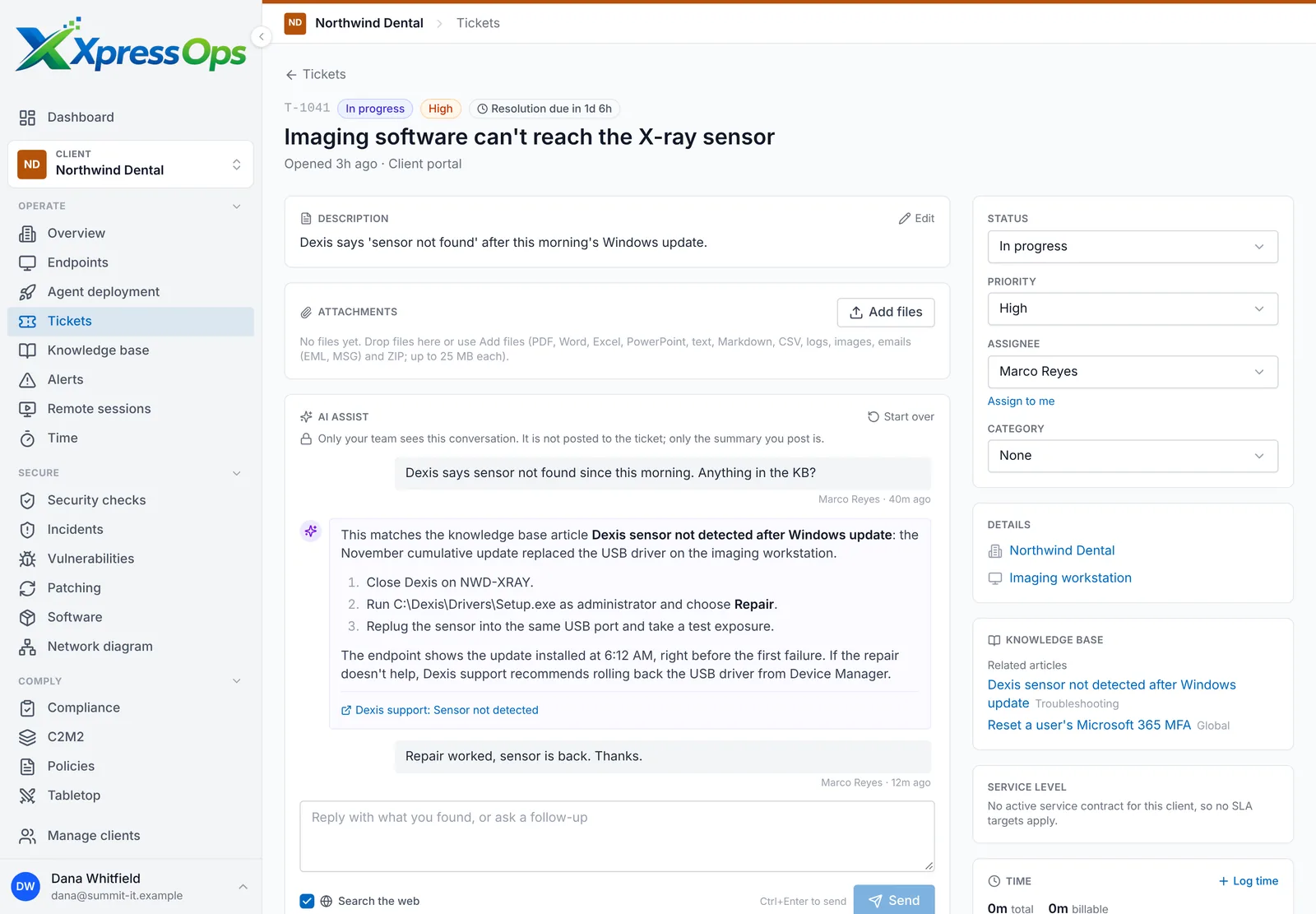
AI Assist on a ticket: it finds the matching knowledge base article, gives three repair steps for this workstation, and cites the vendor's support page.

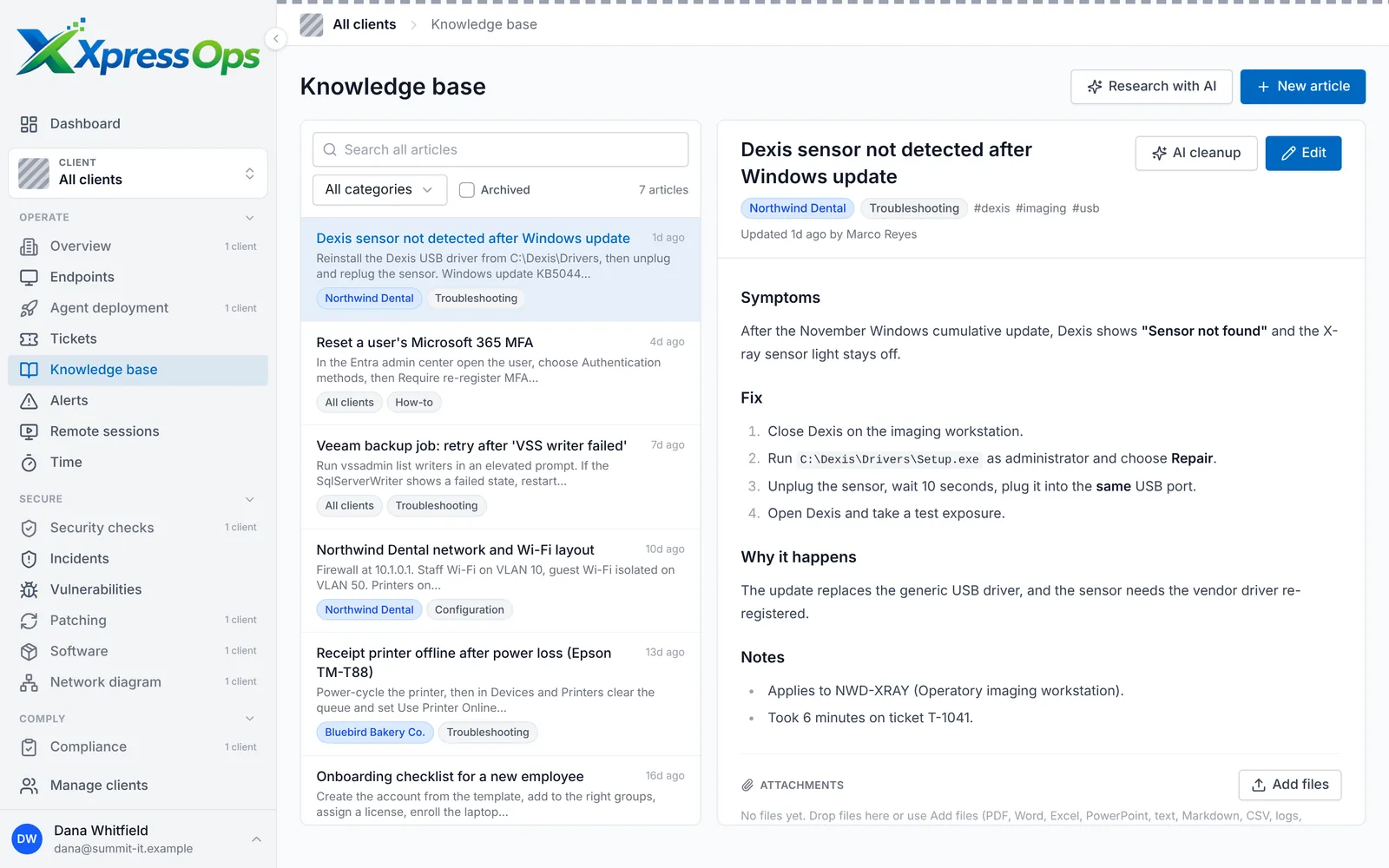
Knowledge base

Write a fix down once.

Search finds articles even when the words do not quite match. Ask AI to research a problem and it drafts an article with its sources. AI cleanup tidies an article and shows you exactly what it changed before you accept it.

  • Full-text search that tolerates typos
  • AI research with cited sources
  • Per-client or shared across every client
A knowledge base article with search, tags and AI research.

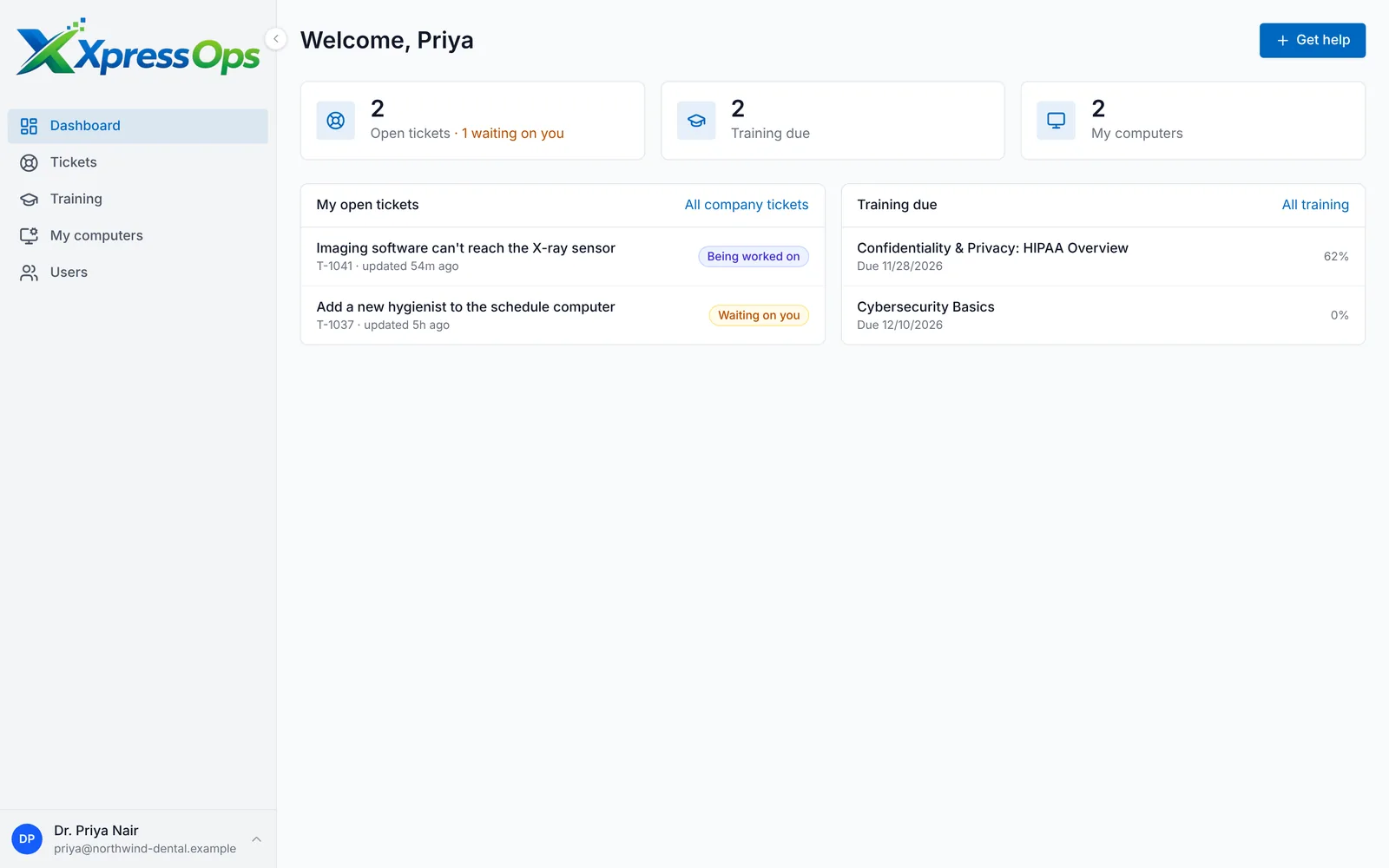
Client portal

A front door for your clients' staff.

Staff sign in to their own portal to ask for help, follow their tickets, take their assigned training and reach the computers they were given. They never see your console or another company.

  • Get help in one button
  • Training due and progress
  • My computers, with remote access if you allow it
The client portal a client's staff see: open tickets, training due and their computers.

Also in Support

Service contracts and SLAs

Each client's contract sets response and resolution targets, and every ticket counts down against them.

Time tracking and billing

Log time against tickets and clients, with billing settings per client and AI summaries of the work done.

Portal levels

Members see their own tickets and training. Managers see their whole company. Facility admins invite and manage people, and must use an authenticator app.

Clients kept in the loop

Portal users get an email when their ticket is received, when you reply, when it is waiting on them, and when it is resolved.

Ticket to article

When a ticket is resolved, add it to the knowledge base in one step. AI drafts the article from the ticket for you to review.

Client data stays separate

Articles can be shared across clients or kept to one, and client staff only ever see their own company.

Start with the clients you already worry about

See it with a fleet like yours.

Tell us what you run, how many endpoints, and which frameworks your clients answer to. We will walk you through it against a setup that looks like yours, not a canned tenant with four tidy devices in it.

We read every message. No newsletter, no sequence — a person replies.